
Budgets and scheduled payments, with no bank connection
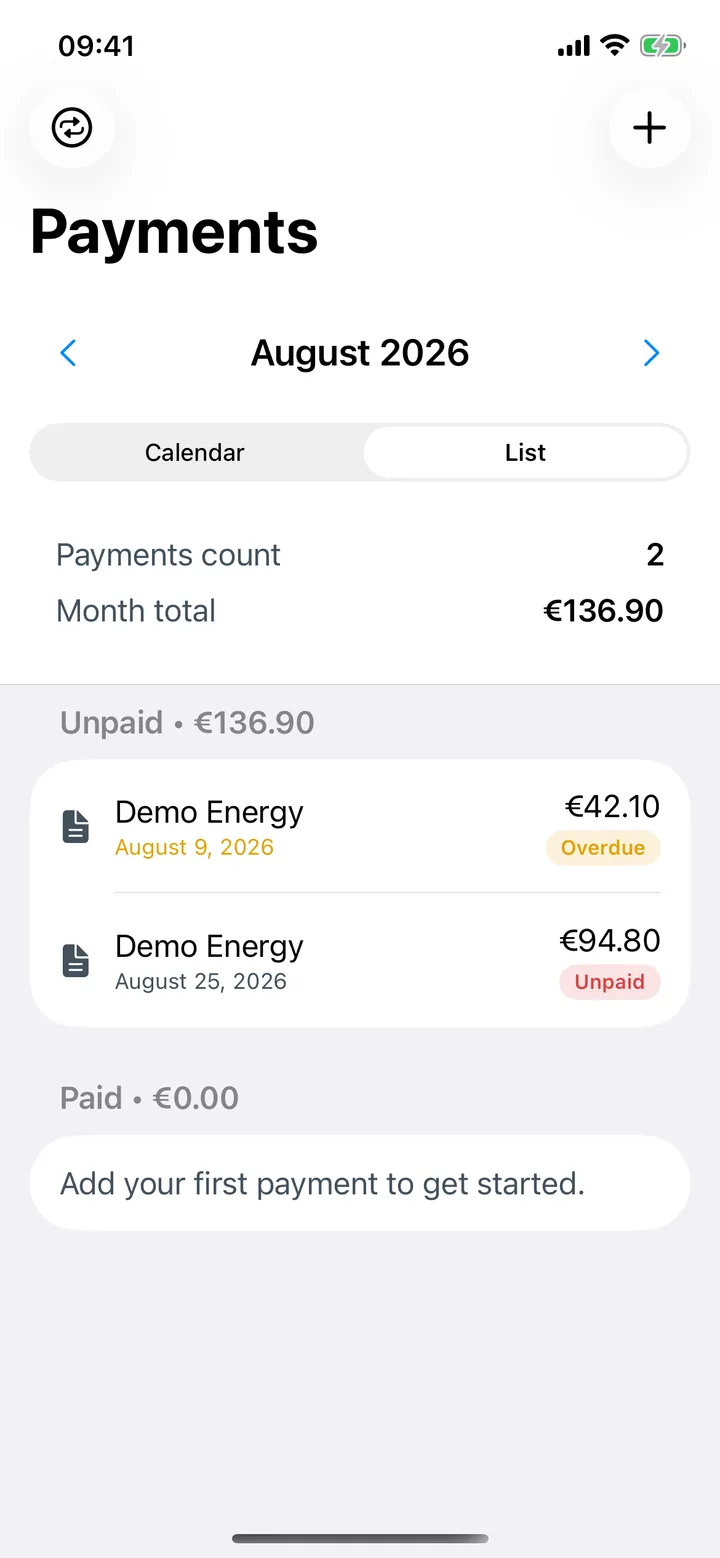
Bolso keeps your scheduled payments and recurring bills, your budgets by category with alerts, which are Bolso Pro, and the accounts the money sits in. All entered by you, all on your iPhone. There are reports and a forecast for how the month is going, but the numbers are only ever yours: the app collects nothing and asks for no bank access.
Recording is not the hard part. Remembering what is still coming is.
Yesterday's coffee is easy to log. What wrecks a month is the annual renewal nobody had counted on, the insurance that leaves on the 28th, or an instalment landing in a week that was already full.
That is not a discipline problem, it is a memory problem. A budget that only looks backwards does not help: by the time the balance warns you, the money has gone.
Planning in Bolso exists to put what is coming in the same place as what already happened.
What you can plan
- 01
Scheduled payments and recurrences
Record what repeats — rent, insurance, subscriptions, instalments — so next month does not open with surprises.
- 02
Budgets by category, with alerts
Set a limit per category and follow it as the month goes, with a separate limit for the months that do not behave like the others. Budgets are part of Bolso Pro.
- 03
Accounts, transfers and reconciliation
Bank accounts, savings and cards, with transfers between them and balance reconciliation so the record matches reality.
- 04
Reports and forecast
Follow the month's progress and check the forecast, which is part of Bolso Pro. It is your own numbers organised — the reading and the decision stay yours.
What Bolso does not do
It does not connect to banks, so nothing debits on its own. Scheduled payments are the ones you record — the app reminds you of them, it does not execute or pay them.
It does not give financial advice. The forecast projects your own records; it is not a recommendation about what to do with your money.
It cannot guess what is missing. A recurring cost you never recorded does not appear in the forecast.
Common questions
- Does the app pay bills for me?
- No. Bolso does not connect to banks and does not move money. Scheduled payments are a record of what is due, so you can see it coming.
- Can I set a different budget for an unusual month?
- Yes. Alongside the usual limit per category, you can set a limit for that month only.
- Is the forecast a recommendation?
- No. It projects the records you entered, so you can see where the month is heading. Bolso does not give financial advice.
- Does it work without internet?
- Yes. The app works with no internet connection. iCloud sync is optional and only happens if you turn it on.
- Do I need Bolso Pro for this?
- For budgets and for the forecast, yes — both are Bolso Pro. The download is free and eligible users can choose to activate a common 7-day trial through iCloud; access starts after confirmation. After the trial, Pro needs a monthly or yearly subscription.
Put next month in plain sight.
Free on the App Store, with a common 7-day Bolso Pro trial that eligible users choose to activate through iCloud; access starts after confirmation.

Read next
Reviewed 2026-08-28 · Bolso team