
For iPhone · Free on the App Store
Your money.Yours alone.
A finance app for iPhone that never asks for your bank login or a new account. What you record stays on your phone and, if you want, in your iCloud.
Free, with optional Bolso Pro · iOS 17+
- No bank connection
- No tracking
- No servers of ours
- Works offline
- Syncs through your iCloud
- No sign-up
- Receipts read on the iPhone itself
- Export to JSON or Excel
- Made in Portugal
The app
Six screens. The whole month.
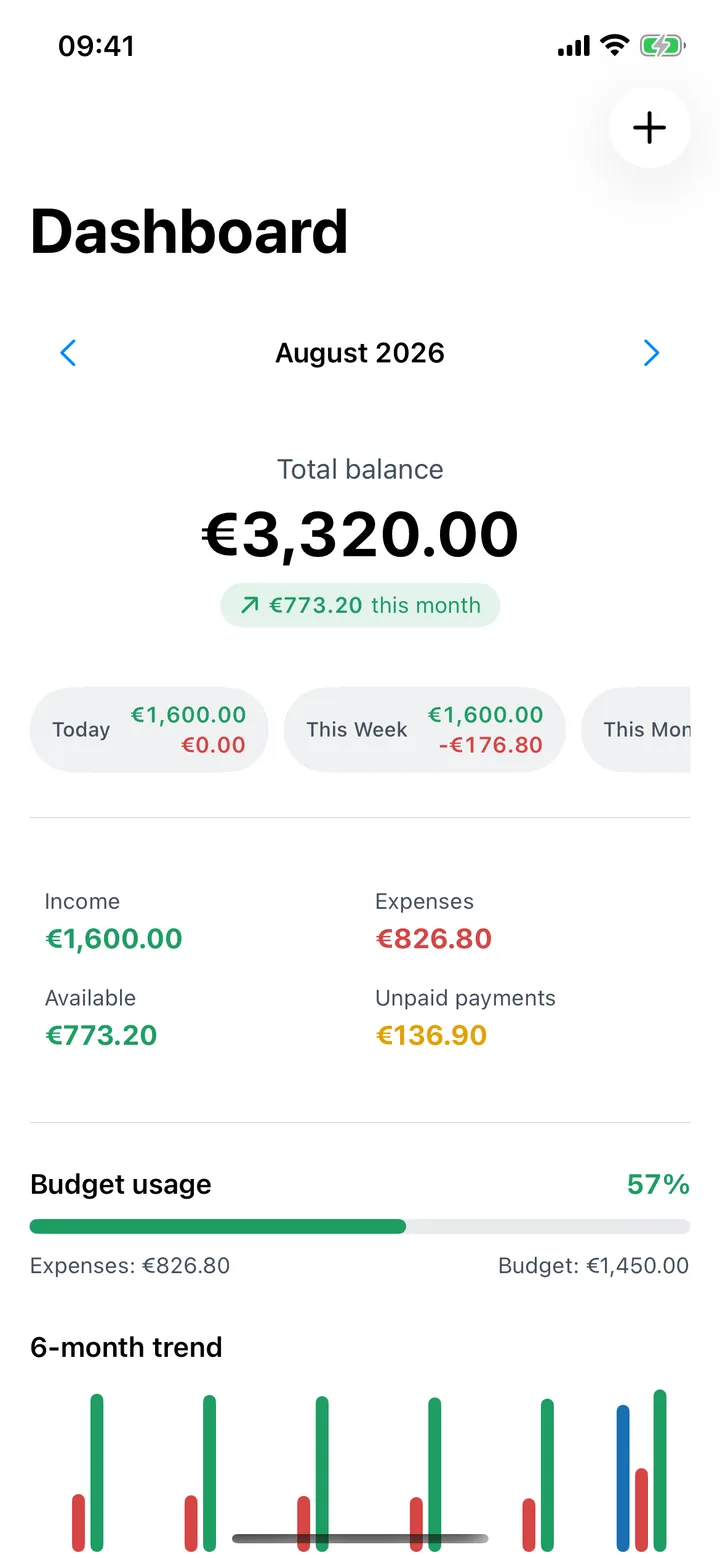
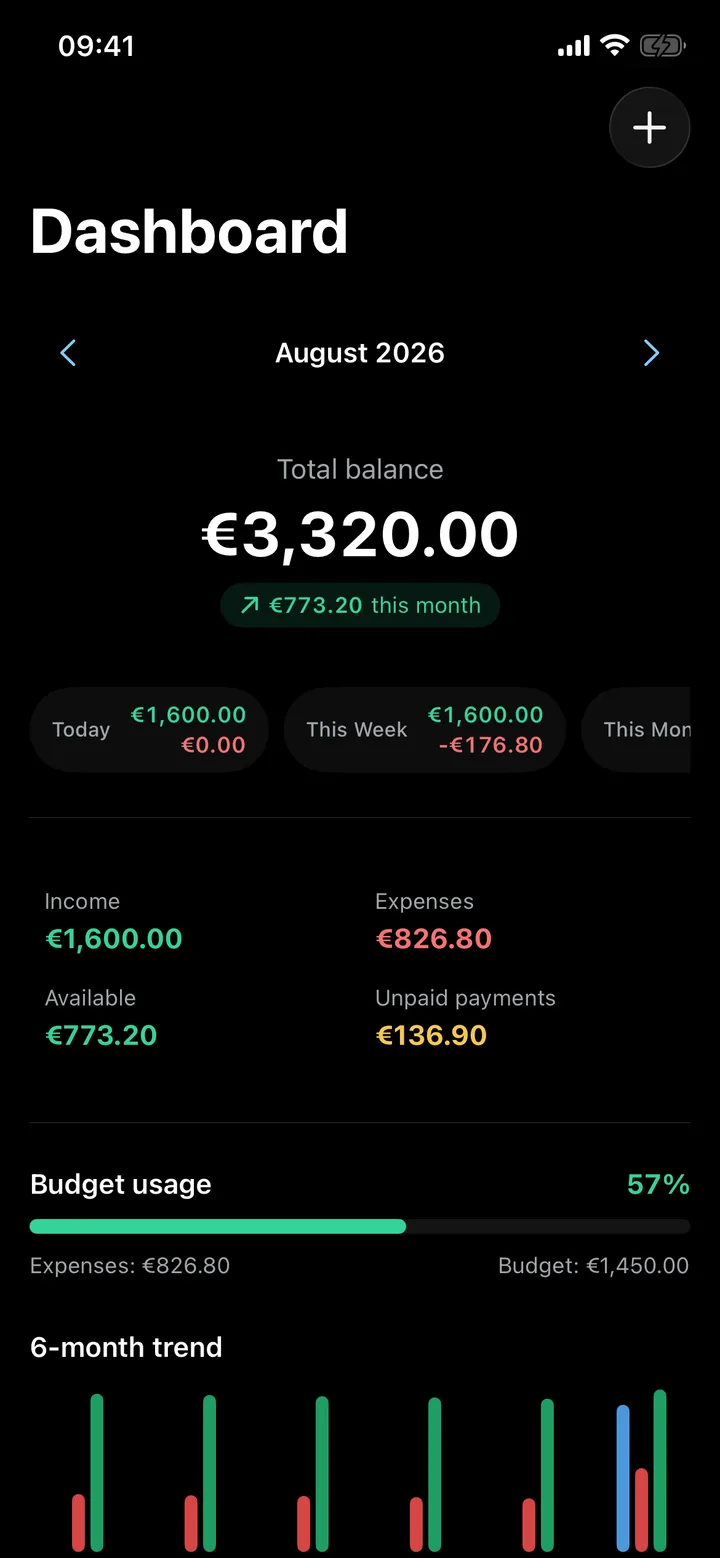
01Dashboard
The month on one screen.
Balance, income, spending and bills still due, with the last six months' trend underneath.
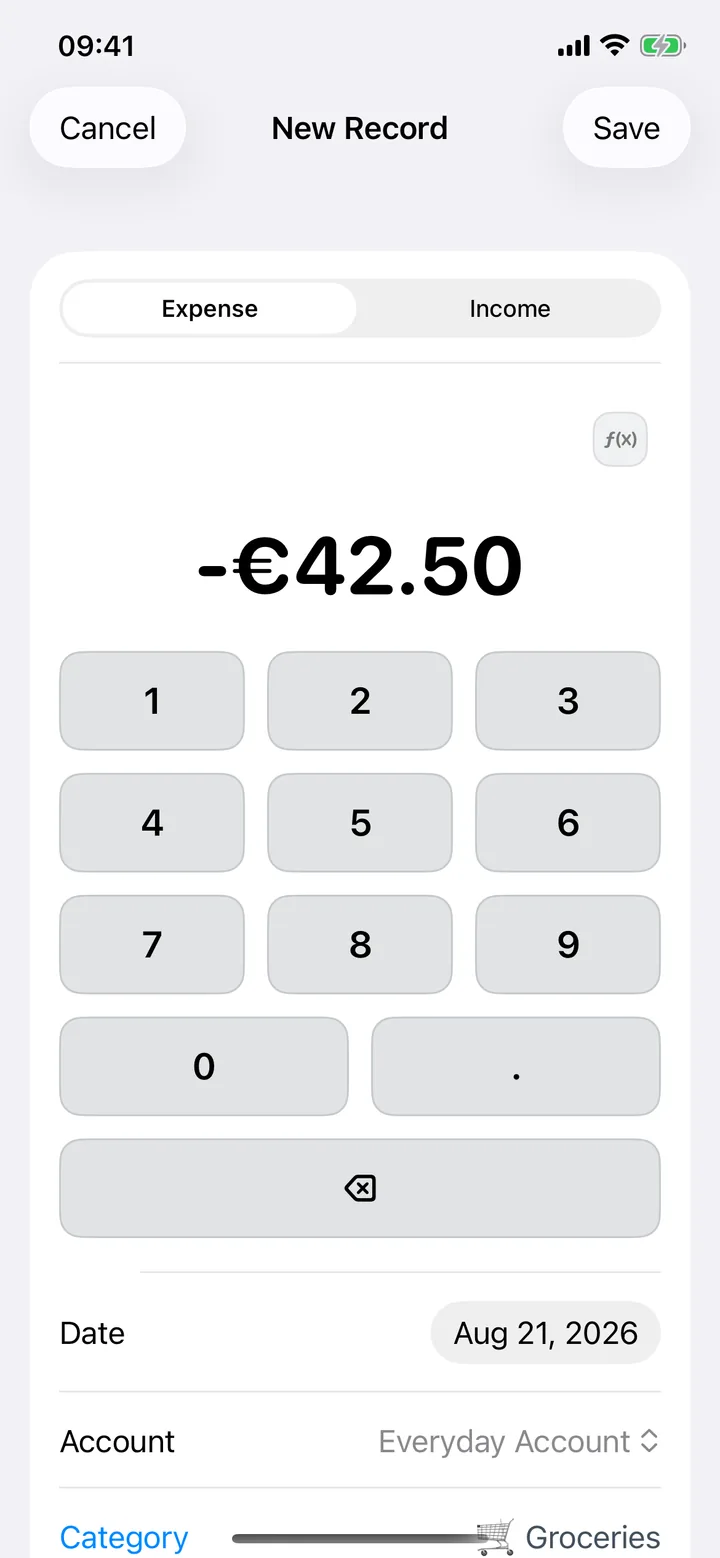
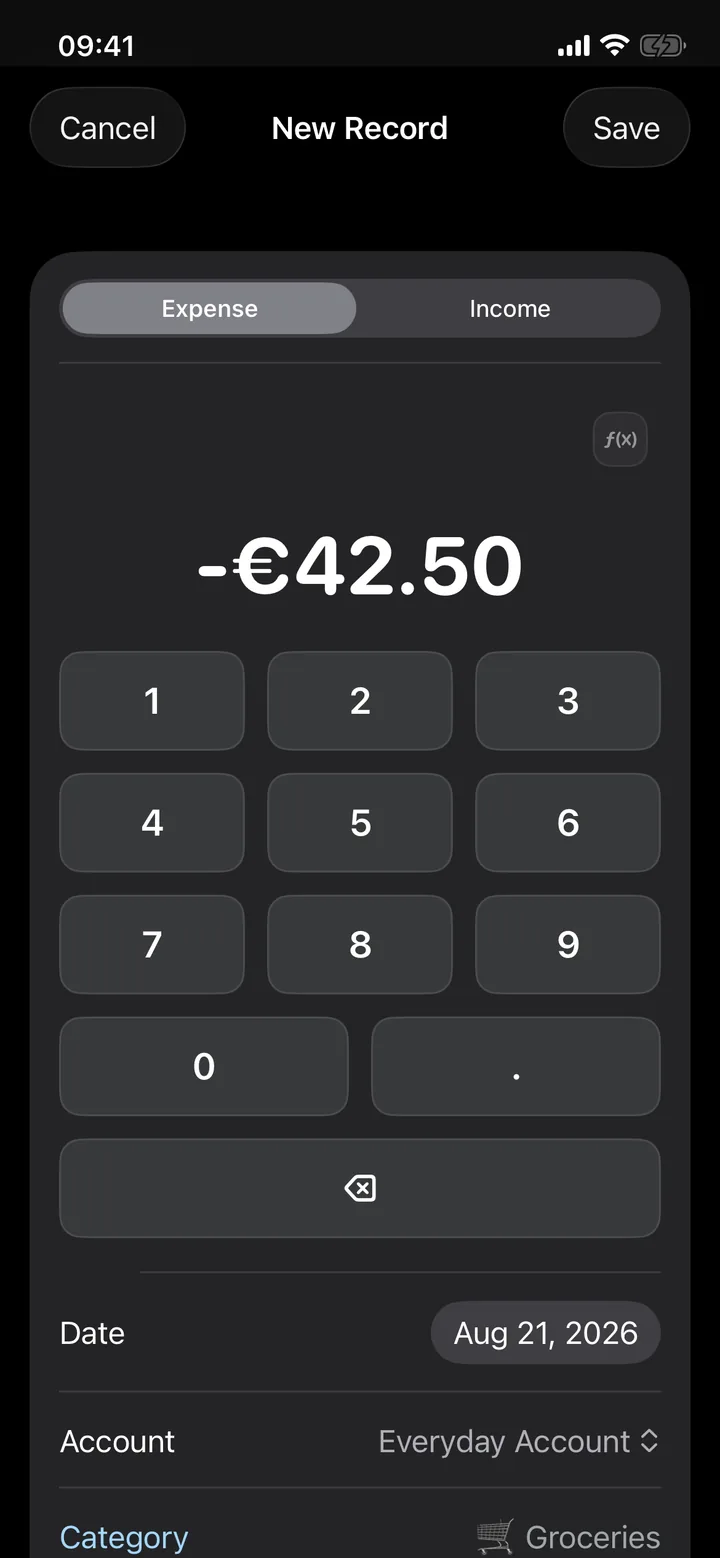
02Quick entry
Amount, category, save.
The keypad opens on the amount. Pick a category, check the date, and it's logged while you're still at the till.
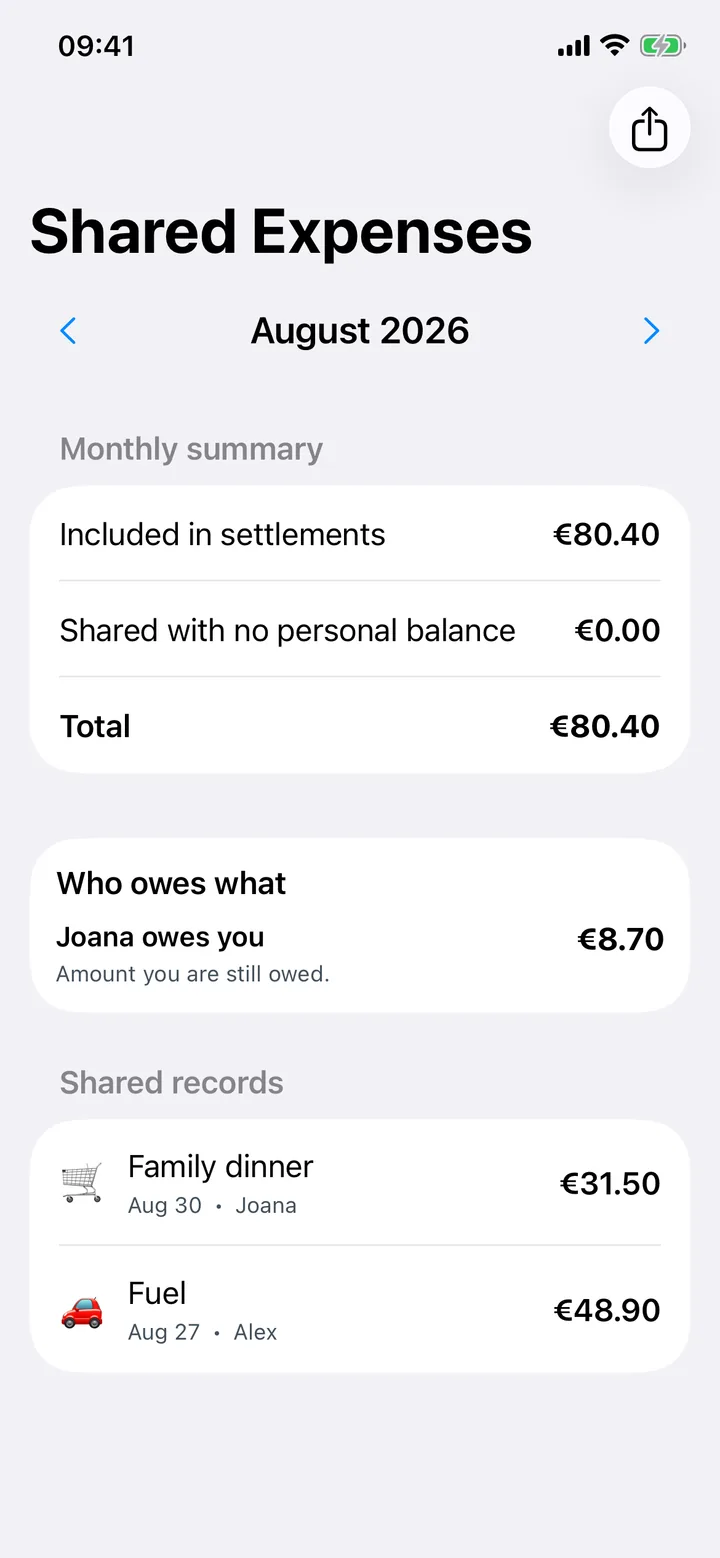
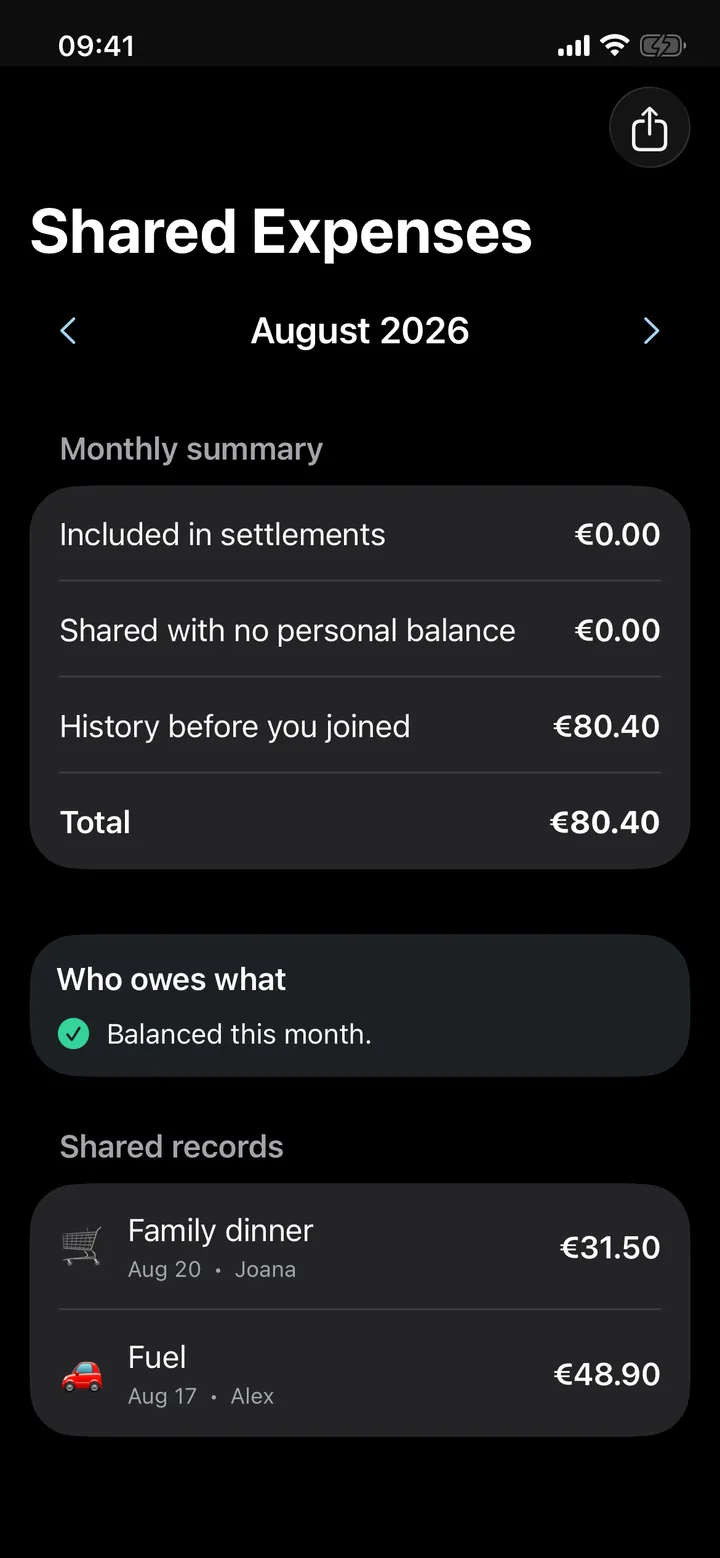
03Sharing
Who owes what, without the arithmetic.
Each shared expense keeps who paid and each person's share, and Bolso works out the month's settlement. Sharing works through an iCloud invite and is part of Bolso Pro.
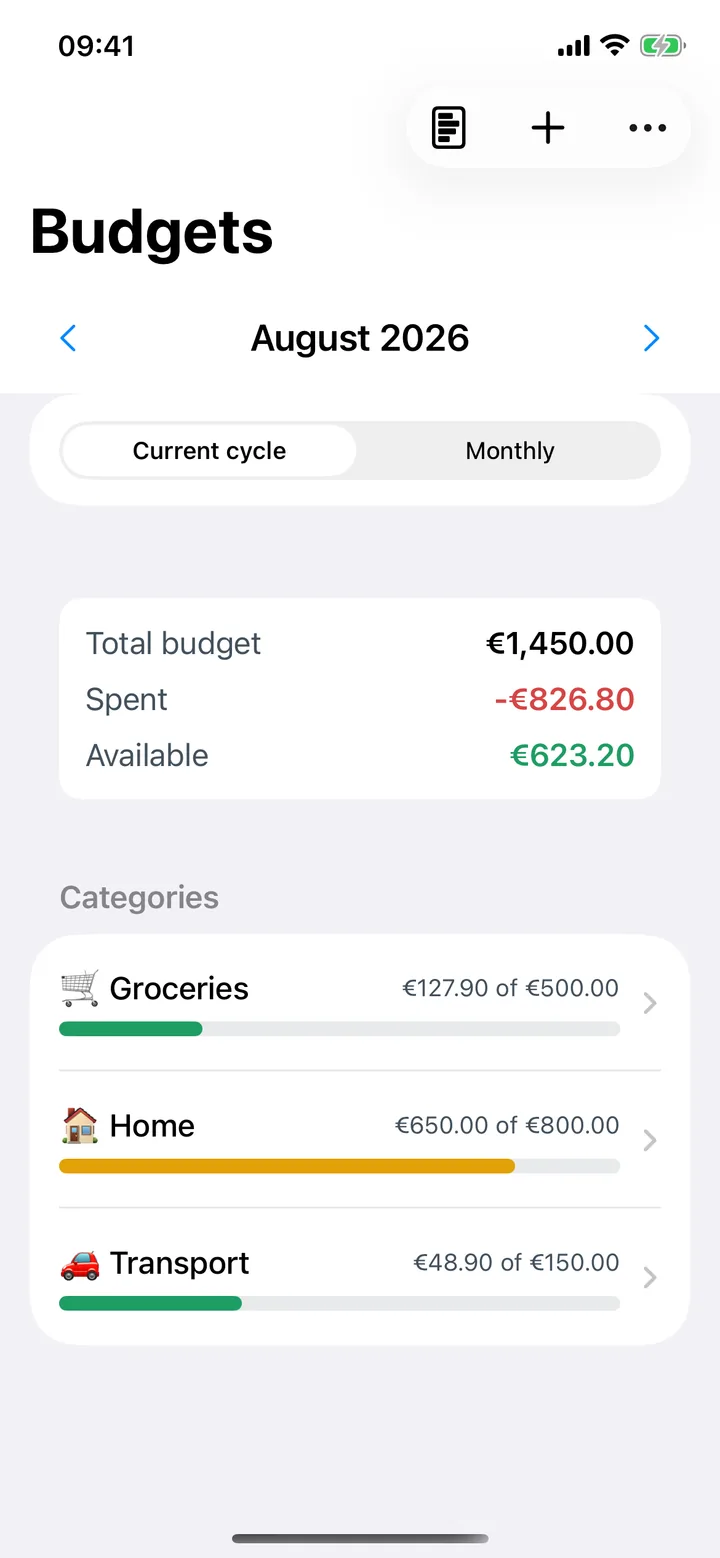
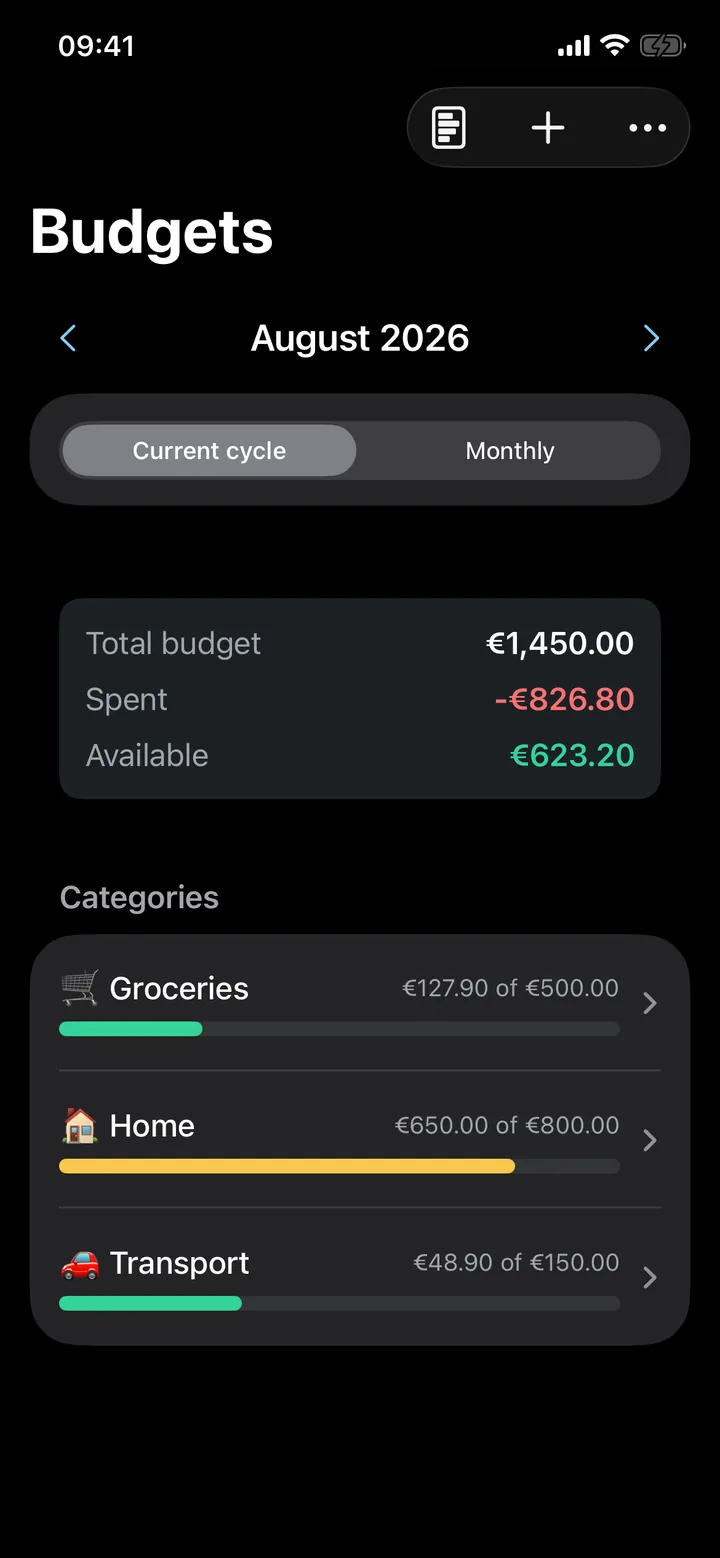
04Budgets
One limit per category.
See what you've spent and what's left in each, for the current cycle or the month, with alerts. Budgets are part of Bolso Pro.
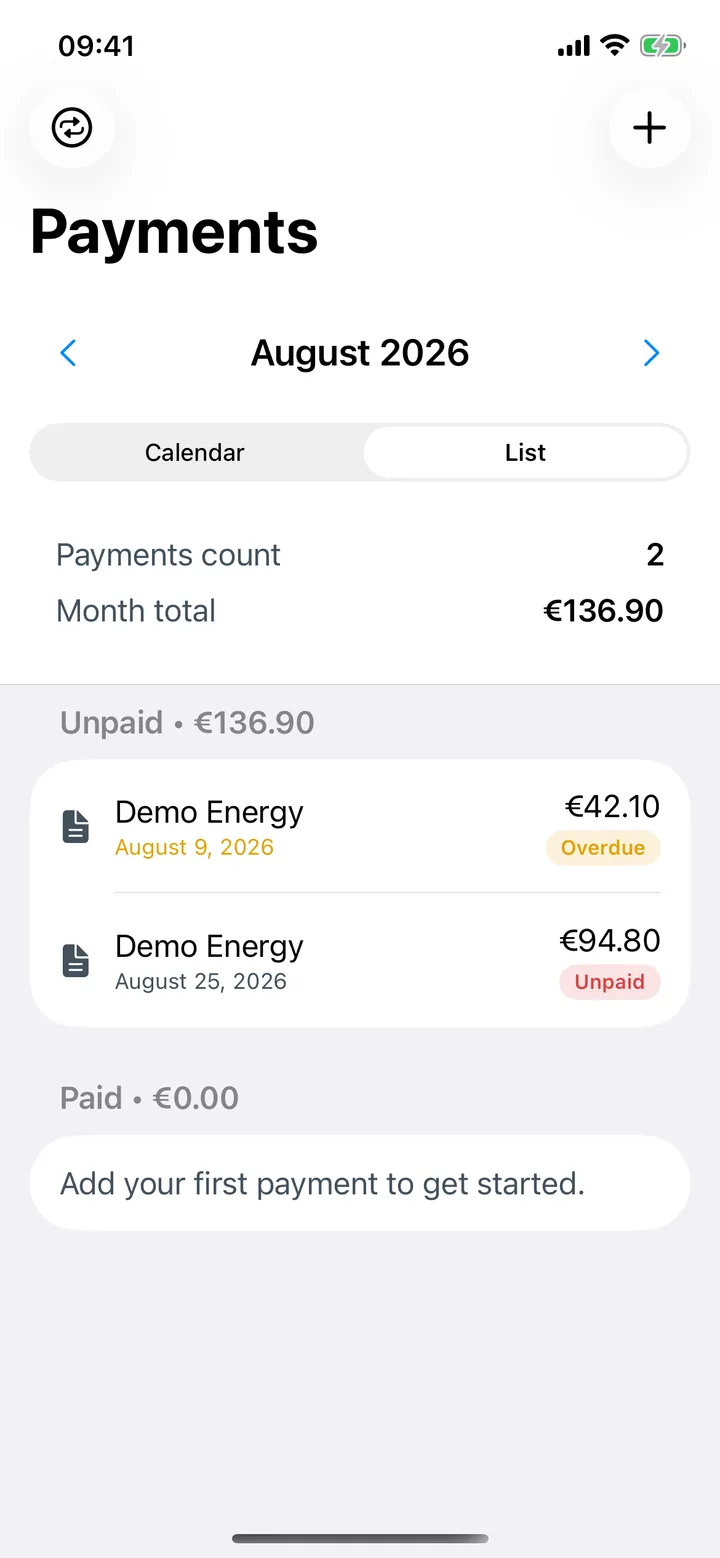
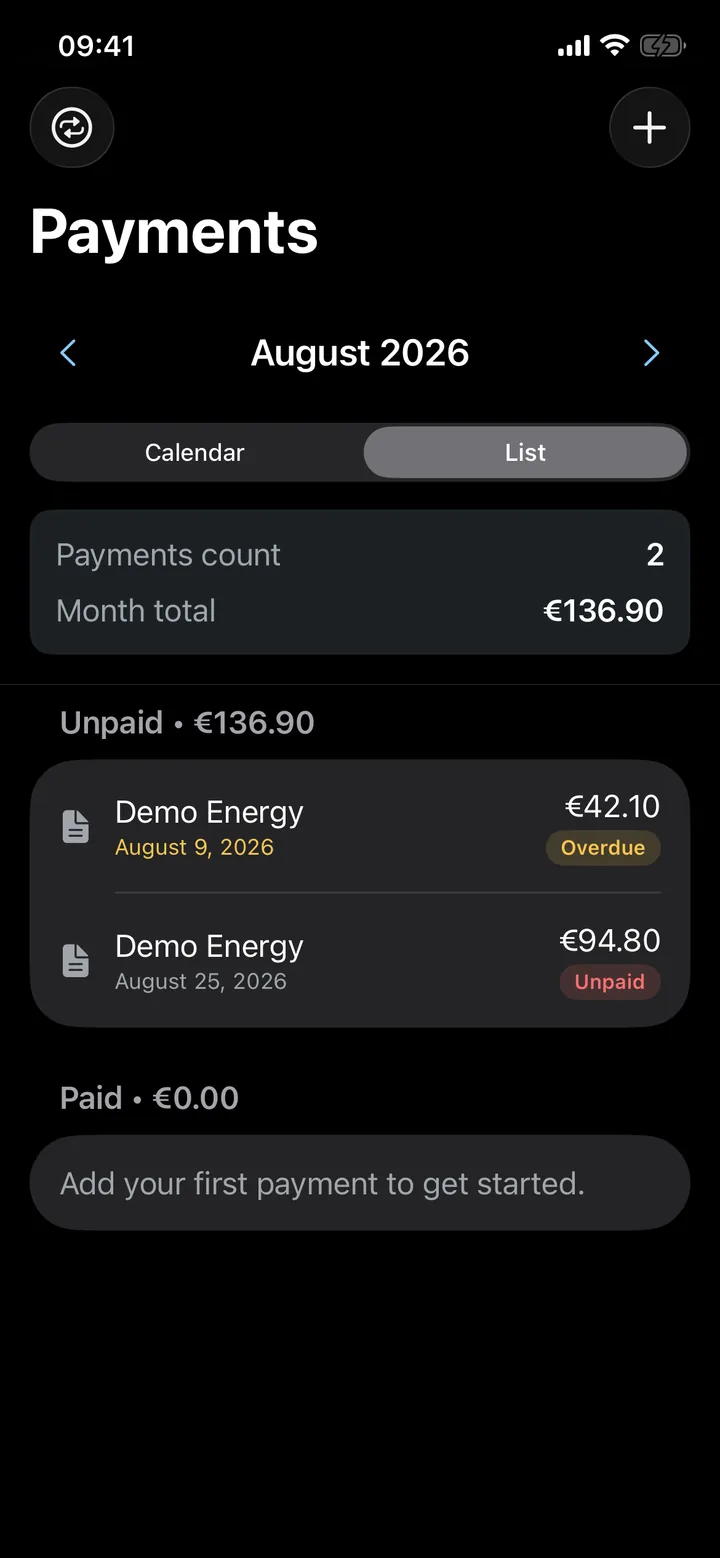
05Bills
What's due this month.
Rent, insurance, subscriptions: record them once and Bolso shows what's still to pay and what's overdue.
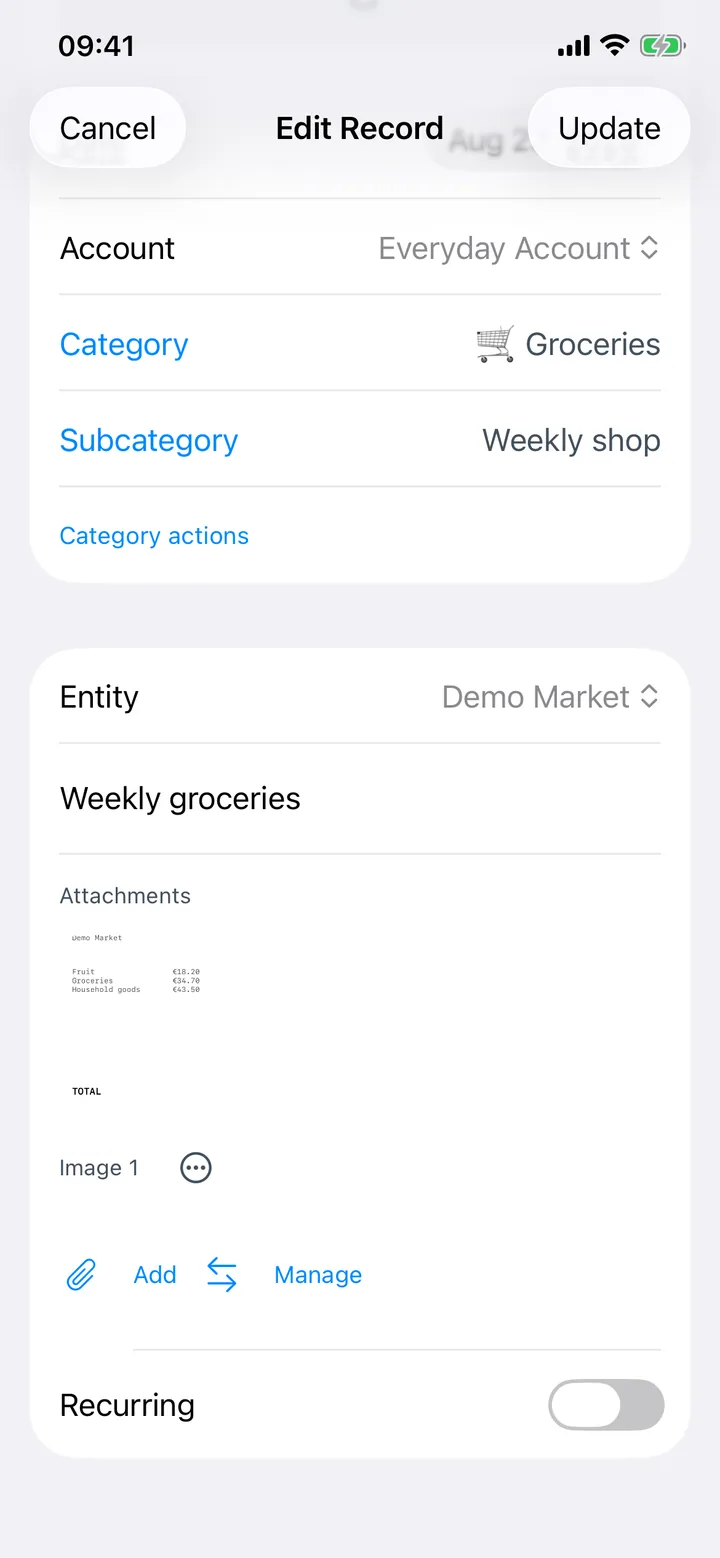
06Receipts
The receipt stays with the expense.
Photograph the receipt and attach it to the transaction. The text is read on the iPhone itself, and the image never passes through us.
Privacy
Your financial history never passes through us.
Bolso has no servers. Your data stays on the iPhone and, if you turn on sync, in your iCloud account, in a space we can't access.
The app carries no analytics, advertising or crash-reporting tools and doesn't use your iPhone's advertising identifier. The one signal it gets from Apple is whether Bolso Pro is active.
Your iPhone
Your iCloud
if you turn on sync
Bolso servers
There aren't any.
- servers of ours holding your data
- 0
- bank connections
- 0
- third-party trackers or analytics
- 0
- advertising
- 0
Day and night
Light or dark, it follows your iPhone.
It respects the dark mode and text size in your Settings and uses the system typeface. There's no Android or web version: Bolso is available for iPhone, iPad and Mac.
Who it's for
Where to start depends on why you're here.
- Privacy01
You won't give an app your bank login.
How Bolso works without a bank connection, and what that changes day to day.
- Couples & families02
You share a home and the bills.
Shared expenses and settling up between two people, each on their own iPhone, with Bolso Pro.
- Planning03
You want to see bills before they're due.
Scheduled payments and, with Bolso Pro, budgets by category and a forecast for the month.
Financial literacy
Three sums to do before anything else.
How to split costs when one of you earns more, whether the month adds up, and whether 50/30/20 survives your rent. Free calculators, with the method explained.
They run in your browser: the figures are never sent or stored.
Split expenses by income
For couples on different salariesSplits shared costs in proportion to what each person takes home, rather than down the middle. Shows each share, each amount, and the working behind it.
Monthly budget planner
To see whether the month closesIncome minus fixed costs, variable costs and your savings target. Tells you what is left — or what is short, which is when the sum earns its keep.
50/30/20 calculator
To test the rule against your rentApplies the rule to your income, then compares it against what your essentials actually cost. Past 50%, it rebalances the remainder on the same ratio.
Pricing
Free. Pro if you want it.
Download and use Bolso without paying. Bolso Pro adds budgets, family sharing and forecasts, and eligible users can choose to activate a common 7-day Pro trial through iCloud with no subscription; access starts after confirmation.

Index card
- Platform
- iPhone · iPad · Mac
- Trial
- 7 days, no subscription
- Bolso Pro
- Budgets, family sharing, forecasts
- Sync
- Private iCloud
- Servers of ours
- 0
- Tracking
- 0
Bolso is Portuguesefor pocket.
Which is where your finances stay. Free on the App Store, with a common 7-day Bolso Pro trial that eligible users choose to activate through iCloud; access starts after confirmation. No Bolso account or bank connection needed.
